PDF Parsing for RAG: pdfplumber, PyMuPDF, Docling, Marker and MinerU on Page 300 of a Long Manual
We ran pdfplumber, pypdf, PyMuPDF, pymupdf4llm, Docling, Marker and MinerU over a 400-page slice of the PostgreSQL manual, a two-column paper and a 1947 scan, and measured headers in the chunk, footnotes, a page-spanning table, OCR and cost per 1,000 pages, with the licence beside each.
Open the PostgreSQL 17 manual 300 pages into our slice, in the chapter on type conversion. Run that page through pdfplumber, pypdf or PyMuPDF at their defaults, the PDF parsing step a RAG pipeline begins with, and read the text a chunker would get.
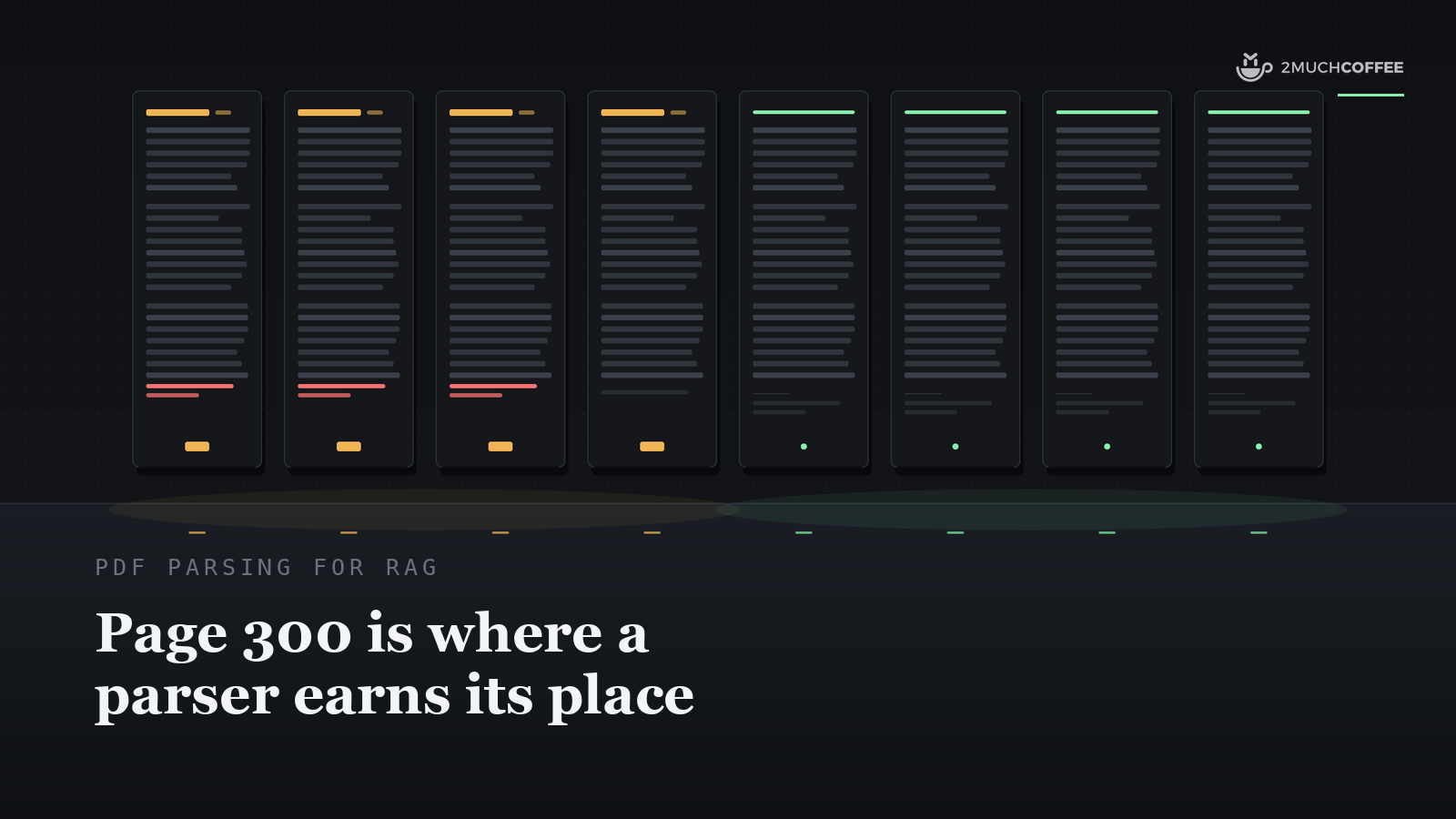
The running header "Type Conversion", the chapter title, sits on top, the page number sits at the bottom, and footnotes 4 and 5 are glued under the last paragraph in the same block of text. Four of the eight parser modes we ran on that manual leak the running header and page number on every page we could check, and on that page the three plain extractors glue the footnotes into the body as well, so a chunk cut from page 300 carries a chapter title and a page number as if they were content.
Vik Paruchuri, who builds Marker, put the general feeling in one line: "Parsing PDFs has slowly driven me insane over the last year." We spent a day measuring how far that reaches once the document is long.
PDF parsing, for a RAG pipeline, is the step that turns a file of drawing instructions into text a chunker can cut and an embedding model can read. Most comparisons we read score that step on a clean paper or a handful of files and report one-page quality; the one long-document run we found, Harshith Raju's 27 documents of up to 487 pages, hand-annotated tables on three of them and used a parser's own text as its clean-text reference.
We scored page 300 of a manual, because that is where running headers, footnotes and tables that cross a page break live, and we put the licence and the cost per 1,000 pages next to every quality number, since those two columns settle more production decisions than a point of accuracy does.
Running headers, footnotes and page-spanning tables live on page 300, so that is the page we measured.
What we ran, and on what
Four public documents: a contiguous 400-page slice of the 3,100-page PostgreSQL 17 manual, Chapters 8 to 14, with a running chapter title on 393 of its pages, a printed page number on all 400, 22 footnotes and 24 page breaks that a table runs across; the GNU Make manual, 229 pages built with Texinfo, headers and no footers; the Ragas paper by Es, James, Espinosa-Anke and Schockaert, eight two-column pages under CC BY 4.0; and a 1947 NACA wind-tunnel report from NASA's technical reports server, 91 pages of image-only scan with no text layer, a US government work.
Seven tools in nine modes, every one at its defaults except the PyMuPDF OCR row, run at 300 dpi instead of 72: pdfplumber, pypdf, PyMuPDF and its pymupdf4llm Markdown mode, Docling, Marker in the fast mode it resolved to on Apple Silicon, and MinerU at its standard tier, with a 1.2B vision model, and its basic tier without one.
All 33 jobs ran one at a time on one Apple M4 Pro with 24 GB, timed as the warm conversion of the whole document in one call. The ground truth comes from the PDFs' own geometry, read with pdfplumber and PyMuPDF, two of the tools under test, so the text-layer rows start them with a home advantage; only the OCR reference for the scan was transcribed by hand. Versions, the timing protocol and every metric definition sit in the section How we scored it, after the results.
The results on the 400-page slice
Read the two memory columns as a size class rather than a ranking. RSS on Apple Silicon leaves out the GPU allocations that sit in unified memory, so the model-backed tools look lighter than they are; the time -l footprint counts those and compressed pages too, which is how MinerU's basic tier reaches 20 GB on a 24 GB machine, and the note under the table says how far RSS moved between runs.
Four of eight modes leak the running header and page number on every page we could check
The split is total. pdfplumber, pypdf, PyMuPDF and pymupdf4llm leaked every running header and every page number on every seam the method located, across all 400 pages, and Docling, Marker and both MinerU tiers leaked none; the located and unlocated seam counts per tool sit in the note under the table. The GNU Make manual repeats the pattern: the plain extractors leak every located header, and each of the four layout tools lets one through, on the same page, 38 of 229.
pymupdf4llm sits on the leaky side because its defaults are header=True, footer=True, two keyword arguments of to_markdown() in the PyMuPDF 2.0 wheel, and we ran defaults throughout. A verification rerun with header=False, footer=False leaked zero headers and zero footers in both windows and across all 400 pages (2 seams unlocated), let one header through on make.pdf, and took 30 seconds for the 400 pages, the same speed as the defaults. So read its two leak cells as a default with the fix one keyword away, and its 0.072 seconds a page against Docling's 0.41.
For the plain extractors the fix is yours to write: drop the top and bottom bands of each page by position before chunking, at the same ingestion stage where the chunking post in this series routes documents between text extraction and OCR. The cost of skipping it is concrete. Every chunk from a chapter inherits the same title line and a page number, and a chunk about operator resolution starts to embed like every other chunk in Chapter 10.
Only MinerU kept every footnote out of the body block
The slice carries 22 footnotes on 17 pages, 8 of them prose and 14 bare URLs, and five of them sit under a sentence that continues on the next page. We sort each footnote into one of four outcomes: separate (its own paragraph or list item), glued to the body block (the blank-line block that holds it also holds 40 or more characters of other text), inside a sentence (it lands between the two halves of the sentence that straddles the page), or dropped.
The plain extractors put 17 footnotes inside the body block and 5 inside a sentence, so a chunk from slice page 295, in section 10.3 of the manual, reads "identical parameter types in the non-", then the footnote, then "defaulted positions". pymupdf4llm and Marker separate 17 and leave the 5 straddlers inside their sentences. Docling separates 21 and leaves the one on page 295 inside. MinerU, at both tiers, separates all 22.
The reference digits in the body tell a second story. The plain extractors fuse the footnote marker to the word before it in 15 of 22 cases (13 for pypdf), so a number in the body quietly gains an extra digit; pymupdf4llm, Docling and Marker keep every marker apart from its word. MinerU keeps 11 markers and drops 10 outright, so a reader of its output can see the footnote and never see where the body referred to it.
Only MinerU returned the three-page table whole
Table 9.27, the date and time formatting patterns, runs across slice pages 124 to 126: one header row and 58 data rows, with the PDF repeating the header at the top of each new page. Only MinerU, at both tiers, returned it as one table with the header once, TEDS 0.9999 against the ground truth read from the manual PDF's own geometry, the missing fraction being one lost space in one cell.
Docling and pymupdf4llm each returned three fragments of 21, 28 and 12 rows, which stitch to 0.9999 and 0.994 but score about 0.48 as any single fragment, because each piece is a third of the table with its own header row. Marker also returned three fragments, stitched to 0.942, and its row-text recall of 0.64 shows why: in fast mode it keeps the first line of most multi-line cells and loses the rest.
The plain extractors have no table structure to score and a row-text recall of 1.00, every cell present and in order, as prose. On the simple 5 by 3 table on slice page 28 every Markdown tool scored 1.000.
The Marker loss goes beyond that table. A verification pass run on the saved outputs after scoring, separate from the bench's own metrics, took the 11,339 body lines of the slice with 25 or more letters and digits and looked for each one verbatim in every output. Marker lacked 1,124 of them, and for 615 the middle three words appear nowhere in its output, a line recall of 0.90 against 0.98 to 0.99 for the other tools.
The losses cluster in the Chapter 9 function tables: the description of pg_last_wal_replay_lsn in the recovery control functions, "Returns the last write-ahead log location that has been replayed during recovery", is present in Docling, MinerU and PyMuPDF and absent from Marker, next to Marker's clean header and footnote scores.
Two caveats travel with the check. The reference lines come from pdfplumber, so pdfplumber's 0.998 is a comparison with itself, and Marker ran in the fast mode it resolved to on Apple Silicon, while the balanced mode Datalab benchmarks on GPUs is a run for a GPU box.
Three more things the metrics leave unscored. Docling writes the Chapter 9 function tables as single run-on rows and flattens multi-line code examples onto one line inside a fence.
MinerU inlines every figure as a base64 data URI, 117 of them on the 91-page scan for 30.3 million characters of Markdown around 56 thousand characters of text, so strip images before chunking; its standard tier also truncated two vision-model outputs at the length limit on the slice, in every run, which is content loss the scores cannot see. Marker is non-deterministic: one table cell differed between two runs on the slice, and its text on the scan differed between runs while scoring the same.
pdfplumber's default reads two columns as one line
On the eight-page Ragas paper we took 20 sentences that cross a line break inside one column and asked whether each came out contiguous. pypdf, PyMuPDF, pymupdf4llm, Docling, Marker and both MinerU tiers returned 20 of 20. pdfplumber on its default extract_text() returned 0 of 20, 19 interrupted and 1 reversed, because it reads across both columns a line at a time.
The same default also runs words together: 403 of its 2,230 whitespace-separated tokens on the paper are 20 or more letters long, against 3 to 6 such tokens for every other tool. pdfplumber exposes words with coordinates and spacing tolerances, so per-column cropping and a tighter x_tolerance are the usual fixes; both sit outside this bench, so read this as its default behaviour on a two-column page.
Marker and MinerU standard read a 1947 scan with one error in 2,008 characters
Page 5 of the NACA report, the title block, the summary and the start of the introduction, was transcribed by hand and re-read against the scan. Marker and MinerU's standard tier each differ from that transcription by one character in 2,008, at different places, and both are scan-quality cases: a faint "u" that Marker left out, and the typewriter's digit one, printed like a lowercase l, that MinerU read as a capital I.
MinerU's basic tier made 11 edits, PyMuPDF with the Tesseract engine built into MuPDF, at 300 dpi, made 30, pymupdf4llm with RapidOCR made 99, and Docling with RapidOCR made 147 and dropped the committee name at the top of the page. pdfplumber, pypdf and plain PyMuPDF return almost nothing from the 91 pages, the correct result for tools with no OCR engine on a file with no text layer.
Speed runs the other way. PyMuPDF with Tesseract took 0.55 seconds a page, pymupdf4llm 0.82, MinerU basic 1.23, Docling 1.41, MinerU standard 1.46 and Marker 4.74, since Marker reads textless pages with surya through a local llama-server, here MinerU's llama.cpp build from PyPI, as upstream llama.cpp is a Homebrew install. The PyMuPDF OCR row uses language data from a Homebrew Tesseract 5.5.2 install that was already on the machine, the one piece of the setup from outside PyPI.
OCR also shows up where you would expect none. On the three text-layer documents there is no raster image to read, so pymupdf4llm and Docling had nothing to OCR, while MinerU's defaults ran about 3,700 OCR detection crops over the slice and Marker OCR'd 36 of the 257 tables it detected there. Both are defaults, and both are inside the timings above.
Local parsing costs $0.001 to $1.83 per 1,000 born-digital pages, before the 24-hour minimum
The local figures are seconds a page on this Mac times 1,000, priced at $1.97 an hour, AWS's on-demand rate for an EC2 mac-m4pro.metal Dedicated Host, the same M4 Pro chip. AWS's Dedicated Host pricing page renders AWS's own price feed, published 2026-10-29, which lists mac-m4pro at $1.97 an hour in US East (N. Virginia), US East (Ohio) and US West (Oregon), the same figure Vantage shows, and AWS states a 24-hour minimum allocation for Mac hosts, so a fresh host costs at least $47.28 whatever the page count.
These are estimates from timing on a laptop, with the vision tools on Metal rather than CUDA; a Linux GPU instance, where most teams would run Docling, Marker or MinerU, prices differently.
MinerU's standard tier is the outlier at $1.83 per 1,000 pages at the mac-m4pro rate, and its own numbers explain part of it: 3.35 seconds a page on the slice against 1.1 on the Make manual's single run, where MinerU's layout pass found 200 table blocks on the slice and sent 993 blocks to the vision model, against zero and 299 on make.pdf, so 3.3 times the vision work on 1.75 times the pages. That points at the vision pass over tables, and per-stage timing is the next measurement before calling it certain.
The hosted parsers are priced from their published pages, read the same day as the bench and linked in the table; a page-300 run against them needs their API keys and is the natural next pass.
The licence column rules out tools before the benchmark does
pdfplumber is MIT and pypdf is BSD-3-Clause, so two of the four tools that leak every header are also the two with nothing to negotiate.
PyMuPDF and pymupdf4llm are AGPL-3.0 or a commercial licence from Artifex, whose licensing page says that "if you deploy the AGPL version in a networked product, users interacting with it must receive the corresponding source code under the AGPL", and points SaaS and hosted products at the commercial licence. One data point on how that lands in practice: pdf-mcp 3.0.0, released 2026-08-29, dropped PyMuPDF at runtime "so the declared MIT license is now true of the whole install".
Docling is MIT code with weights under CDLA-Permissive-2.0 for TableFormer and Apache-2.0 for its layout model, and RapidOCR, the OCR engine it picked, is Apache-2.0.
Marker's code is Apache-2.0, and its weights carry a modified AI Pubs Open RAIL-M licence: free for personal use and research, restricted once you or your employer passed $5 million in gross revenue in the prior year or $5 million in total funding, with a further bar on anyone offering a product or service that competes with Datalab's, at any size.
MinerU's licence is Apache-2.0 plus terms: a separate commercial licence once you and your affiliates exceed 100 million monthly active users or USD 20 million in total monthly revenue, and any online service built on it must clearly and prominently state that MinerU is used. The 1.2B vision model its standard tier downloaded came from a Hugging Face repo whose card declares no licence, with an Apache-2.0 upstream.
What other benchmarks measured, and who ran them
Three published results are worth reading next to ours, each with its author's position named. Datalab's Marker 2 post from July 2026 reports olmOCR-bench scores of 76.0 for Marker balanced, 72.7 for MinerU's pipeline backend and 50.3 for Docling, with throughput measured on one B200; Datalab sells Marker, its hosted Chandra 2 tops the same table at 85.8, and the post itself notes that MinerU's vision backend scores higher than the pipeline it compared against.
olmOCR-Bench from Ai2 holds 1,403 PDFs and 7,010 unit tests, among them a headers-and-footers category of 266 PDFs and 753 tests; on the olmOCR README leaderboard Marker 1.10.1 scores 76.1 overall and 86.6 on that category, Docling is absent, and Ai2's own olmOCR sits at 82.4.
Harshith Raju's independent run over 27 documents of up to 487 pages scored real-table TEDS on three of them: Docling 0.83, MinerU 0.80, pymupdf4llm 0.76, Marker without OCR 0.74 and pdfplumber 0.11, with Docling, Marker and MinerU on a T4 GPU and the plain tools on CPU. His clean-text reference was PyMuPDF's own output, which is how PyMuPDF scored 1.00 there, and our Marker completeness check has the same shape with pdfplumber in that seat. Both are the reason this post scores against the PDF's geometry instead.
How to choose
Our test says choose by the document and the licence, then by the bill. For a born-digital manual whose headers must go, Docling's defaults did it under MIT code and permissive weight licences at 0.41 seconds a page and 23 cents per 1,000, and pymupdf4llm did it in about a sixth of the time once header=False, footer=False is set, under AGPL or a commercial licence.
For tables that cross pages, MinerU was the one tool that returned Table 9.27 whole, at 0.95 seconds a page in the basic tier and 3.35 in the standard tier on this hardware, with its attribution term for online services. For scans, Marker and MinerU standard read a 1947 typewritten page with one error in 2,008 characters, and PyMuPDF with Tesseract made 30 errors at 0.55 seconds a page against Marker's 4.74.
For a corpus that is mostly clean text, PyMuPDF at 0.001 seconds a page, or pypdf under BSD at 0.007, with the running headers dropped by position, costs a fraction of a cent per 1,000 pages, and the chunking post covers how to route documents between text extraction and OCR and keep table headers attached.
Whatever you pick, measure it on your own documents, with each question labelled by source document and span as the evaluation post describes, and write some of those questions from page 300 of the source file, because a golden set sampled from the index can only test what survived parsing.
How we scored it
The slice is PDF pages 185 to 584 of the A4 manual, cut locally with pypdf, and slice page 300 is PDF page 484, printed as page 446, in Chapter 10. It carries 146 table captions, the 24 table page breaks and the 22 footnotes on 17 pages that the sections above score.
The tools were installed fresh from PyPI into two isolated environments the day of the bench (Marker's Pillow pin conflicts with MinerU's, so it has its own): pdfplumber 0.11.10 and pypdf 6.21.4 with extract_text(); PyMuPDF 2.0 with get_text(), plus the OCR row through the Tesseract engine built into MuPDF 1.28.5, with language data from a Homebrew Tesseract 5.5.2 install; and pymupdf4llm to_markdown() as shipped inside the PyMuPDF 2.0 wheel.
The three layout tools: Docling 2.145.0 with DocumentConverter() and automatic OCR, which picked RapidOCR; Marker 2.1.0, the marker-pdf package, along its marker_single path; and MinerU 4.1.2 through its parser API, at the CLI default tier and at the basic tier.
The machine is one Apple M4 Pro, 14 CPU cores, 20 GPU cores, 24 GB, under macOS 26.5.1. Timing is the warm conversion of the whole document in one call, after a one-page warm-up through the same converter, so imports and model loads sit outside the clock; a service converting thousands of pages pays those once.
Every run on the 400-page slice was repeated, and the seconds and cost figures use the mean of the two. The Mac was busy while the queue ran, with a one-minute load average between 2 and 14, so treat differences under about 20 percent as noise.
A second pass later the same day re-ran eight of the jobs at lower load: every output came back byte-identical except Marker's, every metric re-derived from the saved outputs matched, and every timing landed within 8 percent of the first run, so the ranking holds.
Header text is whatever prints in the top 60 points of a page, the footer is the number in the bottom band, a footnote is the 8-point text below 690 points that starts with a 6-point digit, all checked by eye on page renders.
For each page boundary we find the end of one page's body and the start of the next inside a parser's output, using body lines that occur once in the whole document, and read what sits between them; a page number standing alone in that seam is a leaked footer, and the chapter title inside it is a leaked header.
Seams the method could not locate are reported next to every figure instead of being scored, and one seam, slice page 296 to 297, cannot be located in any output because its last lines also appear elsewhere in the chapter. For the leaky tools a footer on an unlocated seam counts as leaked when its bare number appears as a line anywhere in the output; for the clean tools it stays unknown.
Tables are scored with TEDS, the tree edit distance similarity from Zhong and colleagues (2020), computed with apted over rows and cells, plus a row-text recall every tool gets whether it emits table structure or none: the share of target rows whose cells appear contiguously in the output.
Reading order uses 20 sentences from the paper that cross a line break inside one column, each scored contiguous or interrupted. OCR uses a hand transcription of page 5 of the scan, 2,008 characters of typed text, aligned against the whole output so the page may sit anywhere in it. Twenty-two unit tests cover the metrics. The method above is complete enough to rebuild the harness and the ground truth on your own documents.
FAQ
Which PDF parser is best for RAG? By document, then by licence. On a 400-page slice of a born-digital manual, Docling, Marker and MinerU kept running headers and page numbers out of the text, while pdfplumber, pypdf, PyMuPDF and pymupdf4llm at their defaults leaked them on every page we could check. Only MinerU returned a page-spanning table whole. On a 1947 scan, Marker and MinerU's standard tier made one error in 2,008 characters. PyMuPDF parsed clean text at 0.001 seconds a page. Then the licence: PyMuPDF is AGPL or commercial, Marker's weights carry revenue and funding limits, and MinerU asks for attribution in online services.
Does pdfplumber handle two-column PDFs? At its default extract_text(), 0 of 20 test sentences from a two-column paper came out contiguous, because it reads across both columns a line at a time, and it ran words together in 403 of 2,230 tokens on the same paper. pypdf, PyMuPDF, pymupdf4llm, Docling, Marker and MinerU returned 20 of 20 on the same sentences. pdfplumber exposes word-level output with coordinates, so column handling is yours to add on top of it.
Can I use PyMuPDF in a SaaS product? PyMuPDF is AGPL-3.0 or a commercial licence from Artifex. Artifex's licensing page says that if you deploy the AGPL version in a networked product, users interacting with it must receive the corresponding source code under the AGPL, and it points SaaS and hosted products at the commercial licence. pdf-mcp 3.0.0 dropped PyMuPDF at runtime in August 2026 so that its own MIT licence would hold for the whole install. The same terms cover pymupdf4llm, which ships inside the PyMuPDF wheel.
What does it cost to parse 1,000 PDF pages? From our timing on an Apple M4 Pro priced at $1.97 an hour, AWS's on-demand rate for a mac-m4pro.metal Dedicated Host with a 24-hour minimum, also listed by Vantage: PyMuPDF $0.001, pypdf $0.004, pdfplumber $0.017, pymupdf4llm $0.039, Marker $0.108, Docling $0.226, MinerU basic $0.522 and MinerU standard $1.833 per 1,000 born-digital pages, and $0.30 to $2.60 per 1,000 scanned pages. Published hosted prices on 2026-10-30: LlamaParse $1.25 to $56.25, Mistral OCR $2 to $4, Datalab $0.50 to $10, Unstructured $15 after 10,000 free pages.
Which PDF parser keeps a table that spans pages together? MinerU, at both tiers, returned PostgreSQL Table 9.27, one header and 58 rows across three pages, as a single table with TEDS 0.9999. Docling and pymupdf4llm returned the same table as three fragments that stitch to 0.9999 and 0.994 but score about 0.48 as any single piece. Marker returned three fragments stitching to 0.942 and kept only the first line of most multi-line cells, a row-text recall of 0.64. If your parser fragments tables, merge consecutive fragments whose header rows match and repeat the header on every chunk.
Which PDF parser is best for scanned documents? On a hand-transcribed page of a 1947 typewritten scan, Marker and MinerU standard each made one edit in 2,008 characters; MinerU basic made 11, PyMuPDF with Tesseract at 300 dpi made 30, pymupdf4llm with RapidOCR 99 and Docling with RapidOCR 147. Speed ran the other way, 0.55 seconds a page for PyMuPDF with Tesseract against 4.74 for Marker. pdfplumber, pypdf and plain PyMuPDF have no OCR engine and return almost nothing from a scan.
How do I strip running headers and footers from PDF text? Pick a layout parser that classifies them (Docling, Marker and MinerU leaked zero on every located seam of our 400-page slice), pass header=False, footer=False to pymupdf4llm's to_markdown(), or drop the top and bottom bands of each page by position before chunking when you use pdfplumber, pypdf or PyMuPDF, at the ingestion stage where the chunking post routes documents between text extraction and OCR. Then check a page deep inside a chapter rather than the first page, because chapter openers carry no running header and hide the leak.
What 2muchcoffee covers
We build production RAG systems, grounded and evaluated, and parsing is where a corpus of long documents goes wrong first. Grounded answers from your documents start with what the parser hands the chunker, so what page 300 of your longest document looks like after parsing is a conversation our engineers have early. The plain way in is the AI work we do.
One concrete action
Take the longest PDF in your corpus, open a page deep inside a chapter, and run that one page through your current parser. Read the output as a chunk, with the parser's licence file open in the next tab. If the chapter title or a page number is in the text, if a footnote sits inside a sentence, or if a table lost its header on the second page, you have found the ceiling of your retrieval before any embedding model saw the page, and you have found the licence question before procurement did.