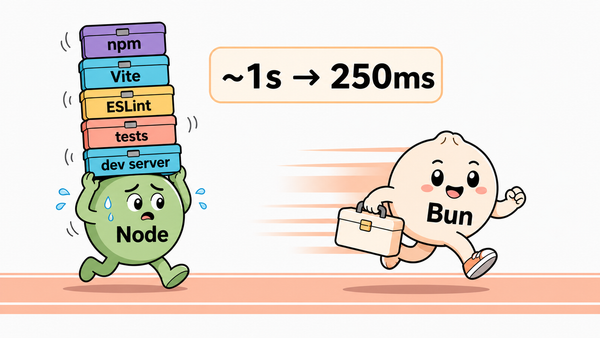
Bun vs pnpm, Yarn, and npm: Package Managers Compared
Bun, pnpm, Yarn, and npm are not just four install commands. They are four different answers to speed, strictness, workspaces, CI, lockfiles, and how much tooling your team wants one package manager to own.


The package-manager debate looks like a speed contest until the first Windows laptop, Docker cache miss, or monorepo lockfile enters the room.
Then it becomes something more useful.
Recently, Armin Ronacher was annoyed enough by npm install on Windows to complain about it publicly on X. Around the same time, React Navigation's maintainer Satya was describing a monorepo move from Yarn 4 to pnpm after a TypeScript upgrade ran into Yarn patching trouble. Bun's own docs still show the intoxicating side of the story: a Remix monorepo install benchmark where Bun is dramatically faster than npm, Yarn Classic, and pnpm.
Those are not the same problem.
One is local install pain. One is monorepo coordination. One is toolchain compression. One is CI reproducibility. A package manager is where all of those concerns get squeezed into one small command that everyone on the team has to run.
The deeper shift is that node_modules is no longer one thing. npm, pnpm, Yarn, and Bun now disagree about how dependencies should exist on disk, when scripts should be trusted, and how much of the install should be reproducible without talking to the registry.
So I would not choose between Bun, pnpm, Yarn, and npm by asking "which one is fastest?" first.
I would ask: which failure mode are we trying to make boring?
Pick the pain first. The package manager follows
Use this as the fast decision. The rest of the article explains the tradeoffs.
Choose npm when predictability beats cleverness. It is the default most developers already have, the one tutorials can assume, and the one with the least explanation cost for broad teams.
Choose pnpm when dependency strictness and workspace discipline matter. It is especially strong when phantom dependencies, disk usage, and monorepo filters are the pain.
Choose Yarn when you want Yarn's model, not just faster npm. PnP, constraints, workspaces focus, and zero-installs are powerful, but they are an opinionated project architecture.
Choose Bun when package management is part of a bigger toolchain cleanup. It is attractive when you also want the runtime, scripts, test runner, and bundler story to come from one place.
For CI and Docker, the winner is usually reproducibility. Use the frozen install mode for your chosen tool and structure Docker layers so dependency installs do not rerun on every source-code edit.
The short version
Use npm when the default matters more than the edge. It is boring, but boring is a production feature when you are onboarding juniors, teaching a tutorial audience, supporting many Windows users, or working inside an enterprise where every new tool has to pass through procurement and muscle memory.
Use pnpm when your project is large enough that dependency strictness becomes a gift. pnpm's official motivation is not just speed. It uses a content-addressable store to reduce disk usage and hard-link packages into projects, and its non-flat node_modules means packages only get access to dependencies they actually declared (pnpm motivation, pnpm node_modules structure).
Use Yarn when you want the modern Yarn model: Plug'n'Play, constraints, focused installs, and zero-installs. Yarn PnP is the default install strategy in modern Yarn and replaces the usual node_modules folder with a loader file (Yarn PnP). That can be excellent. It can also be real migration work.
Use Bun when the package manager is one piece of a larger bet. Bun's package manager is meant to work standalone in any package.json project, but the emotional pitch is bigger: fewer separate JavaScript tools, faster installs, built-in scripts, and less ceremony around the runtime (Bun package manager).
That is the honest comparison:
- npm optimizes for defaultness.
- pnpm optimizes for strictness and efficient monorepos.
- Yarn optimizes for an opinionated dependency model.
- Bun optimizes for speed plus toolchain compression.
What really changes under node_modules
The weird part of modern JavaScript package management is that four tools can install the same packages and still create four very different machines.
npm mostly keeps the familiar flat, hoisted node_modules layout. That is why it works with nearly everything. It is also why a package can sometimes import a dependency it never declared, because something else happened to hoist it nearby.
pnpm keeps a stricter shape. Packages are stored in a content-addressable store, hard-linked into a project-local virtual store, and then symlinked into the visible node_modules tree. The result is more disk-efficient and less forgiving of undeclared imports (pnpm motivation, pnpm node_modules structure).
Yarn PnP goes further. It can skip node_modules entirely and generate a .pnp.cjs loader file that maps imports to package locations in Yarn's cache (Yarn PnP). With an offline mirror and checked-in loader files, Yarn can make a Git checkout act like an install for many workflows (Yarn cache strategies).
Bun now sits between the familiar and the strict. It can use a traditional hoisted layout, or a pnpm-like isolated linker that stores packages under node_modules/.bun/ and prevents phantom dependencies (Bun isolated installs). Bun's bun install docs also say it stores installed npm packages in ~/.bun/install/cache, uses clonefile on macOS and hardlinks on Linux when available, and falls back to platform copy behavior when needed (bun install docs).
That is why the choice is not "which command do we like?" It is "which dependency model do we want the repo to live inside?"
The comparison table I would actually use
package-lock.json; commit it.pnpm-lock.yaml; strong workspace story.yarn.lock; often paired with cached artifacts.bun.lock; Bun says commit it.pnpm fetch can use the lockfile first.trustedDependencies for dependency scripts.npm cipnpm install freezes by default in CI with lockfile.yarn install --immutablebun ciBun: fastest when the whole toolkit is the problem
Bun is the easiest to overhype, because the speed story is loud and often real.
The official bun install docs say it is a standalone Node.js-compatible package manager that works in existing Node projects with package.json, writes bun.lock, installs peer dependencies by default, and avoids arbitrary dependency lifecycle scripts for security reasons (bun install docs). Bun's package-manager page says it supports workspaces, git/http/tarball dependencies, custom registries, and a global install cache (Bun package manager).
That speed comes partly from architecture, not luck. Bun stores installed npm packages in ~/.bun/install/cache, uses fast platform backends such as clonefile on macOS and hardlinks on Linux when available, and can run reproducible CI installs with bun ci, which is equivalent to bun install --frozen-lockfile (bun install docs).
The lockfile story improved too. Bun v1.2 changed the default from the old binary bun.lockb to a text-based bun.lock, and Bun can migrate existing yarn.lock, package-lock.json, and pnpm-lock.yaml files when a project does not already have bun.lock (Bun lockfile).
Security is part of the install design. Bun does not execute arbitrary lifecycle scripts from installed dependencies unless a package is listed in trustedDependencies, and it supports minimumReleaseAge so newly published versions can be filtered during resolution (bun install docs).
The important word there is standalone. You can try Bun as only the package manager. You do not have to move the runtime, test runner, or bundler in the same pull request.
But the real reason teams get interested in Bun is not only bun install. It is the feeling that JavaScript projects acquired too many separate tools. In our local Bun dependency-count draft, the interesting result was not only speed. It was the number of pieces that disappeared: runtime, scripts, bundler path, package manager, and adjacent dev-tooling choices started collapsing into one toolkit.
Bun's workspace support is now serious enough to matter. It reads workspaces from package.json, supports glob syntax including negative patterns, supports the workspace: protocol, installs all workspaces in the monorepo, and can install only selected workspaces with --filter (Bun workspaces). The --filter docs show package-name and path selectors, plus script running across packages in parallel or sequential mode (Bun filter docs).
Bun also moved toward pnpm-style strictness. Its isolated installs create strict dependency isolation similar to pnpm, prevent phantom dependencies, and are the default for new workspace/monorepo projects with lockfile configVersion = 1 (Bun isolated installs).
That is a different Bun than the early "fast npm replacement" pitch.
Still, I would introduce Bun in layers:
1. Try bun install with the existing runtime. 2. Commit bun.lock and run bun ci in a branch. 3. Compare lockfile diffs, CI install behavior, Windows behavior, and native-package installs. 4. Start with the hoisted linker if compatibility is the priority, then test the isolated linker once the baseline works. 5. Only then ask whether Bun should also own scripts, tests, or builds.
Bun is strongest when speed and toolchain cleanup point in the same direction. If the only argument is "install got faster on my machine," I would keep testing.
pnpm: strictness that catches the bugs you were accidentally hiding
pnpm's best feature is also the thing people sometimes complain about: it is less willing to pretend your dependency graph is fine.
The docs explain the core idea plainly. With npm, 100 projects using a dependency can mean 100 copies on disk. With pnpm, packages live in a content-addressable store and files are hard-linked into projects, so identical package files can be shared across projects (pnpm motivation).
The stricter part comes from the node_modules layout. pnpm uses hard links and symlinks to build a nested structure where only packages that are really declared are accessible. Its docs explicitly contrast this with a flattened node_modules structure where hoisted packages may be importable even if they were never listed in package.json (pnpm node_modules structure).
That matters in monorepos. Phantom dependencies are fun until a package works locally because a sibling happened to install something, then fails in CI or after an unrelated upgrade.
pnpm workspaces require a pnpm-workspace.yaml at the repo root, support the workspace: protocol, and can refuse to resolve to the registry when a local workspace package is expected but missing (pnpm workspaces). pnpm filtering is also more expressive than a simple name glob: it can select packages by name, dependencies of a package, dependents of a package, and changed packages by commit range (pnpm filtering).
pnpm also has a very practical Docker trick. The pnpm fetch command loads packages into the virtual store using only the lockfile and workspace configuration, then a later offline install can use what was already fetched. The pnpm docs describe this as specifically designed to improve Docker image builds because the dependency layer only changes when the lockfile changes (pnpm fetch). The Docker guide also recommends BuildKit cache mounts for sharing the pnpm store between builds, with a warning to keep store caches scoped to mutually trusted builds (pnpm Docker guide).
The supply-chain story has become part of the reason to choose pnpm too. pnpm 11 changed several defaults, including minimumReleaseAge defaulting to one day, blockExoticSubdeps defaulting to true, and strictDepBuilds defaulting to true (pnpm 11 release notes). That does not make npm malware disappear. It does mean pnpm is explicitly designing around the reality that newly published packages and install scripts are a trust boundary.
The catch is that modern pnpm may move faster than your infrastructure. pnpm 11 dropped support for Node.js 18, 19, 20, and 21, so a team stuck on older runtime images may need to stay on pnpm 10 or plan the Node upgrade first (pnpm 11 release notes).
I would pick pnpm when:
- the repo is a real monorepo,
- dependency drift is already causing bugs,
- workspace filters matter,
- disk usage matters,
- CI reproducibility matters more than a beginner-friendly default.
pnpm is not the lowest-friction teaching tool. It is the package manager I want when a team has been burned enough to appreciate strictness.
Yarn: powerful if you actually want the Yarn model
Yarn is awkward to compare because "Yarn" can mean Yarn Classic, modern Yarn with PnP, modern Yarn with node_modules, or a monorepo using just part of the feature set.
Modern Yarn's most distinctive feature is Plug'n'Play. The Yarn docs say PnP is the default installation strategy in modern releases and can be swapped for node_modules or pnpm-style approaches (Yarn PnP). Instead of a normal node_modules folder, Yarn generates a .pnp.cjs loader file that tells tools how to resolve packages.
That design gives Yarn real advantages:
- less install I/O,
- clearer errors for undeclared dependencies,
- strong ghost-dependency protection,
- zero-install workflows,
- constraints for monorepo rules.
Yarn workspaces add constraints, workspace: cross-references, and focused installs. The docs describe constraints as "to monorepos what Eslint is to your source code," which is exactly the right mental model (Yarn workspaces).
The zero-install story is also real. Yarn's cache docs explain that combining PnP with an offline mirror lets a Git checkout act like an install in many cases, because the cache and loader files can live in the repo (Yarn cache strategies). That is powerful for teams that want the repo to carry almost everything needed to run.
It is not free, though. Yarn's own docs say PnP usually needs editor SDK configuration for TypeScript and IDE integrations, because many tools expect packages to exist through normal runtime resolution (Yarn editor SDKs). Existing projects may also need packageExtensions when dependencies forgot to declare what they import, and Yarn explicitly calls out React Native / Expo as a case that still needs typical node_modules installs (Yarn PnP).
Zero-installs also change the repo. Instead of caching dependencies only in CI, you may commit Yarn cache files and PnP loader files so checkout can double as install. That can be wonderful for determinism, but it is a source-control decision, not only a package-manager flag.
The tradeoff is that you have to want that architecture. Existing projects can be harder to migrate to PnP because scripts or tools may rely on ghost dependencies or node_modules details. Yarn says this directly in its PnP docs.
That is why Satya's Yarn 4 to pnpm migration note is such a useful anecdote. The issue was not "Yarn is bad." The issue was that Yarn's power added a failure mode during a TypeScript upgrade. For a maintainer, one fewer category of package-manager weirdness can be worth more than one more clever feature.
I would choose Yarn when a team explicitly wants PnP, constraints, focused installs, and zero-installs. I would not choose it as a casual "npm but faster" default.
npm: boring, and sometimes that is the point
npm wins a lot of decisions by already being there.
That sounds like a weak argument until you are writing setup docs for hundreds of developers, recording tutorials for people on every OS, or onboarding a team where the package manager should not become the first meeting.
npm's CI story is also clearer than people give it credit for. The npm docs describe npm ci as meant for automated environments such as test platforms, continuous integration, and deployment. It requires an existing package-lock.json or npm-shrinkwrap.json, exits with an error when the lockfile and package.json do not match, removes existing node_modules, and never writes to package.json or lockfiles (npm ci docs).
The lockfile itself is not optional ceremony. npm says package-lock.json is intended to be committed and lets teammates, deployments, and CI install the same dependency tree (npm package-lock docs).
npm workspaces are less glamorous than pnpm or Yarn, but they exist and are useful. The npm docs describe workspaces as support for managing multiple packages from a single root, with workspace packages auto-symlinked during npm install (npm workspaces).
There is also a version-management wrinkle around npm's defaultness. Node.js 25+ no longer distributes Corepack, so Yarn and pnpm teams that relied on Corepack for package-manager version pinning now need an explicit install/setup path in docs and CI (Node.js website issue). With 26 now the Current line and 24 the Active LTS, that is a setup path most teams meet on their next upgrade rather than someday. npm still arrives with Node, which is not glamorous, but it matters in setup instructions.
The weaknesses are familiar:
- installs can feel slow,
- flat hoisting can hide phantom dependencies,
npm installcan mutate your lockfile whennpm ciwould have failed,- dependency lifecycle scripts are still a thing you need to understand.
The npm scripts docs show lifecycle scripts running for npm install and npm ci, including preinstall, install, and postinstall (npm scripts). That makes --ignore-scripts, audits, provenance, and lockfile discipline part of the conversation.
npm has also been moving on publisher trust. Its npm trust command configures trusted publisher relationships between packages and CI/CD providers using OpenID Connect, and the broader trusted publishing docs frame this as a way to avoid long-lived npm tokens in CI (npm trust, npm trusted publishers). That is publishing-side security, not a substitute for reproducible installs, but it is part of why the modern package-manager conversation is no longer just speed.
But npm's weakness is also its social advantage: fewer people have to learn a new package manager before they can fix the actual app.
The new security axis: install scripts and fresh releases
The surprise in 2026 is that package managers are starting to treat installation as a security boundary.
Bun does not run arbitrary dependency lifecycle scripts unless the package is trusted, and it supports a minimumReleaseAge gate for newly published package versions (bun install docs).
pnpm 11 changed defaults in the same direction: minimumReleaseAge defaults to one day, strictDepBuilds defaults to true, and blockExoticSubdeps defaults to true (pnpm 11 release notes).
Yarn PnP's security contribution is different. It does not make npm packages morally better. It makes undeclared imports fail sooner, which catches a class of ghost-dependency bugs before they become "it worked on my machine" artifacts (Yarn PnP).
npm remains the compatibility baseline, so it needs more explicit install discipline: npm ci, committed lockfiles, script policy, audit/signature checks, and careful publishing tokens. That is not as fashionable as a new linker, but it is still real engineering work.
The Docker layer can erase your benchmark win
Here is the small operational truth that should sit inside every Bun vs pnpm vs Yarn vs npm comparison:
The package manager only gets to be fast if your build lets it be fast.
Docker's Node.js guide explicitly installs dependencies as a separate step to take advantage of caching (Docker Node.js guide). The bad version is easy to write:
COPY . .
RUN npm ci
RUN npm run build
Every source edit can invalidate the dependency-install layer. The package manager gets blamed for a Dockerfile problem.
COPY package.json package-lock.json ./
RUN npm ci
COPY . .
RUN npm run build
Change the command and lockfile names for pnpm, Yarn, or Bun. Keep dependency install before the full source copy.
For Bun, the shape becomes COPY package.json bun.lock ./ and RUN bun ci. For pnpm, it is the package manifest plus pnpm-lock.yaml. For Yarn, it depends on whether you are using PnP, zero-installs, and checked-in cache files.
For pnpm-heavy Docker builds, there is an even sharper pattern: copy pnpm-lock.yaml and pnpm-workspace.yaml, run pnpm fetch --prod, then copy the full source and run an offline install. pnpm's docs call this out because fetch only needs the lockfile/workspace config, so the expensive dependency layer can survive ordinary source edits (pnpm fetch).
The practical point is the same: a bad Docker layer order can make the fastest package manager rerun work it did not need to rerun.
The command map
The commands are not the whole decision, but they are useful when you are estimating migration work.
| Task | npm | pnpm | Yarn | Bun |
|---|---|---|---|---|
| Install | npm install | pnpm install | yarn install | bun install |
| CI/frozen install | npm ci | pnpm install --frozen-lockfile | yarn install --immutable | bun ci |
| Add dependency | npm install react | pnpm add react | yarn add react | bun add react |
| Run script | npm run build | pnpm build or pnpm run build | yarn build | bun run build |
| Workspace filter | npm --workspace <name> run build | pnpm --filter <selector> build | yarn workspace <name> build / workspaces foreach | bun --filter <pattern> build |
| Lockfile | package-lock.json | pnpm-lock.yaml | yarn.lock | bun.lock |
Do not migrate because the command looks nicer. Migrate because the behavior behind the command removes a real problem.
My practical recommendation
For a small app with no package-manager pain, keep npm. Spend the migration energy on tests, Docker caching, lockfile hygiene, and boring setup docs.
For a monorepo that is already hitting phantom dependency bugs, install drift, disk pressure, or workspace-filter needs, use pnpm. It has the cleanest "strict package manager for serious JS repos" story right now.
For a Docker-heavy monorepo, pnpm gets an extra point because pnpm fetch can make the lockfile the expensive cache boundary.
For a team that wants PnP, constraints, zero-installs, and checked-in cache discipline, Yarn is not obsolete. It is just not casual. Choose it because you want those features enough to own the model.
For a project where the pain is JavaScript toolchain sprawl, try Bun. Start with package installs, scripts, and CI. Then decide whether to let Bun own tests, builds, and runtime behavior too.
For any team standardizing after Node.js 25, write the package-manager setup down explicitly. npm is still bundled with Node. Corepack-backed Yarn and pnpm workflows need a deliberate bootstrap path.
npm ci, pnpm install --frozen-lockfile, yarn install --immutable, or bun ci before judging reliability.The package-manager decision is not a religion. It is risk budgeting.
If the risk is "new people cannot install the project," npm is hard to beat.
If the risk is "the monorepo quietly depends on packages it never declared," pnpm is the adult in the room.
If the risk is "we need the repo itself to carry dependency resolution discipline," Yarn is still one of the most serious options.
If the risk is "our JavaScript toolchain has become a pile of little decisions," Bun is the interesting bet.
The fastest install is nice. The install your team can trust is nicer.