Bun vs Deno vs Node.js: Which Runtime Should You Actually Use?
Bun, Deno, and Node.js are not just three speed scores. They are three different bets on compatibility, security, and how much JavaScript tooling your runtime should replace.


Dear JavaScript developers, the runtime menu got interesting again.
For a long time the answer was simple: use Node.js, install a package manager, add TypeScript, bolt on a test runner, pick a bundler, and slowly accept that half your project is now glue code. That setup works. It also explains why Bun and Deno both exist.
Bun, Deno, and Node.js are often compared like race cars. I do not think that is the useful comparison. Speed matters, sure, but the real decision is about defaults. Which ecosystem do you trust? How much compatibility do you need? How much of the toolchain do you want the runtime to absorb? And how much security friction do you want upfront instead of later?
Here is the short version.
Pick the constraint first. The runtime follows
This is the quick decision version. The rest of the article is the reasoning behind it.
Choose Node when compatibility is the business requirement. If the app already runs on Node, uses native addons, depends on mature observability tooling, or has a team that knows the ecosystem cold, Node is still the lowest-risk production default.
Choose Deno when secure defaults and TypeScript-first workflow matter more than npm muscle memory. It is especially attractive for new services, internal tools, and code that should not get broad file/network/env access by accident.
Choose Bun when the pain is toolchain clutter. If you want the runtime, package manager, test runner, and bundler to come from one place, Bun is the most aggressive replacement bet.
For frontend builds, Bun is worth testing in layers. Use it first as the package manager/runtime around your existing stack, then decide whether dropping Vite or another bundler actually helps your project.
For scripts and CI, both Bun and Deno can feel cleaner than a Node pile-up. Bun usually wins when npm compatibility and speed are the point. Deno wins when permissions and standard-library discipline are the point.
The short version
If you already have a serious Node.js backend, start from Node and make any migration prove itself. Node remains the boring default because the ecosystem is enormous and compatibility is rarely a side quest.
If you are starting something new and you care about security boundaries, TypeScript defaults, and a built-in toolchain, Deno deserves a real look. The official Deno docs describe it as a JavaScript, TypeScript, and WebAssembly runtime with secure defaults, direct TypeScript execution, and built-in linting, formatting, testing, and more (Deno runtime docs).
If your frustration is that a JavaScript project takes six tools to say hello, Bun is the interesting one. Bun is trying to collapse the runtime, package manager, test runner, and bundler into one toolkit. Its docs list first-class surfaces for package management, testing, bundling, Docker, frameworks, SQL, and Node compatibility (Bun docs index).
That is the whole comparison in one breath: Node is the ecosystem default, Deno is the security-and-standards default, and Bun is the toolchain-replacement default.
What each runtime is really selling
Node.js is selling continuity. It is the runtime most teams already know, the one most npm packages expect, and the one most production playbooks were written around. The case for Node is not that it is the newest. It is that there is probably already a Stack Overflow answer, an incident runbook, an APM integration, and a teammate who has seen the failure mode before.
Deno is selling better defaults. Deno runs TypeScript directly, has a built-in toolchain, and its security model starts from no file, network, environment, or subprocess access unless you grant it. The Deno security docs call out the difference directly: unlike Node, dependencies are not automatically given full system I/O (Deno security docs).
Bun is selling compression. It wants to replace multiple parts of the Node-era stack at once. The official docs describe a native bundler available through bun build and Bun.build() (Bun bundler docs), a built-in Jest-compatible test runner with TypeScript support while noting that not everything in Jest is implemented (Bun test docs), and a Node compatibility page that is updated against the latest Bun version (Bun Node compatibility).
That last detail matters. Bun compatibility is impressive, but it is not a magic wand. The compatibility page itself lists green, yellow, and red surfaces. If a backend depends on odd corners of node:vm, node:worker_threads, node:http2, native addons, or a tool that assumes exact Node behavior, you still test before you move.
The decision matrix
When I would pick Node.js
I would pick Node.js when the project is already in production, revenue depends on it, and the migration case is mostly "Bun or Deno look cooler." That is not enough.
Node's advantage is boring, which in production is a compliment. Teams know how it fails. Libraries assume it. CI images support it. Hosting platforms document it. Monitoring tools understand it. A mature Node app has already paid a lot of ecosystem tax, and you do not throw that away for a nicer local command unless the payoff survives a serious preflight.
The funniest part of the modern runtime debate is that Node has also been absorbing features. It has its own test runner in the official docs now (Node test runner). It has better ESM support than it used to. It keeps getting less embarrassing for the boring cases.
So my rule is simple: if the question is "What should keep running our established backend?" Node starts ahead.
When I would pick Deno
I would pick Deno for a greenfield service where the security model is part of the design, not something you staple on with docs and hope.
The Deno permission model is the big architectural difference. By default, a program cannot read arbitrary files, make network calls, access environment variables, or spawn subprocesses unless you allow it (Deno security docs). That means a script, plugin runner, automation surface, or internal tool can start from less trust.
Deno is also pleasant if you want TypeScript without setting up a TypeScript project ceremony. Its getting-started docs position direct TypeScript execution and built-in lint, format, test, and task tooling as part of the runtime experience (Deno runtime docs).
The tradeoff is that Deno is still a choice. If your team lives in npm scripts, node_modules, and existing Node conventions, Deno asks you to think differently. It has Node and npm compatibility, and the Deno docs say most Node.js code runs without modification, with support for node: built-ins, npm packages, package.json, CommonJS, and native addon cases that need local node_modules and permissions (Deno Node/npm compatibility). But "compatible enough to run" and "zero-friction migration" are not the same sentence.
That makes Deno very attractive for new work, sandboxed work, and teams that want better defaults more than they want perfect Node muscle memory.
When I would pick Bun
I would pick Bun when the project is drowning in JavaScript tooling and the real win is fewer separate pieces.
Bun's strongest pitch is not "faster Node." It is "why are your runtime, package manager, bundler, and test runner four different things?" The bundler docs show bun build and Bun.build() as first-class surfaces (Bun bundler docs). The test runner docs describe a built-in Jest-compatible runner with TypeScript support, lifecycle hooks, mocking, snapshots, DOM testing, and watch mode, while also noting that not everything from Jest is implemented yet (Bun test docs).
That caveat is exactly the right tone for Bun in production: enthusiastic, but not asleep at the wheel.
I would start Bun in layers:
1. Use it as the package manager and runtime for scripts. 2. Run the existing tests under Bun and compare failures. 3. Try it around the build before replacing the bundler. 4. Only then ask whether a backend move makes sense.
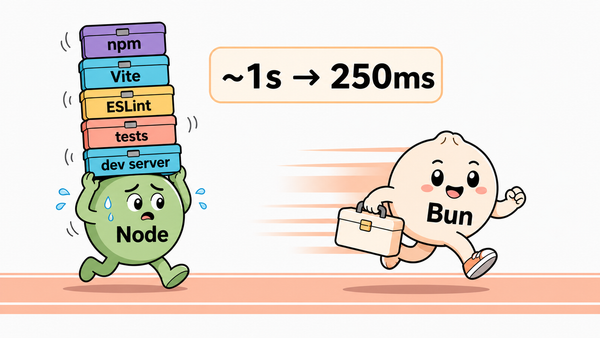
That staged path is also why Bun has such a nice SEO/content cluster for us. I already tried the runtime swap on a small TypeScript project and the honest result was that the big speed win did not come from swapping Node alone. It came when the extra bundler layer disappeared. In the follow-up, the more interesting result was dependency count: fewer tools, fewer packages, less config surface.
The preflight I would run before switching
node:vm, workers, HTTP/2, native addons, process hooks, and anything touching streams or sockets deeply.This is the point where a runtime debate becomes engineering instead of vibes. If Bun or Deno survives the checklist, great. If not, the failed checklist probably saved you a production incident.
So which one wins?
Node wins when compatibility and operational maturity matter most.
Deno wins when you want secure defaults, TypeScript-first ergonomics, and a runtime that makes permission boundaries part of the project.
Bun wins when your real pain is toolchain sprawl and you want a fast, integrated path for installs, scripts, tests, and builds.
My practical recommendation is not to crown one runtime. It is to put each one where its defaults help you:
- Keep Node for established production backends unless the migration has measurable upside.
- Try Bun first in scripts, package installs, local tooling, and frontend build experiments.
- Try Deno first for new secure services, internal tools, and places where permissions should be explicit.
The worst choice is switching because a benchmark screenshot made you feel slow. The best choice is switching because one runtime removes a real constraint from your project and the preflight says it will not create a bigger one.
Draw your own conclusions. Then run the tests.