Bun vs Node.js: I Swapped a Real TypeScript Project to Bun
I swapped a real React and TypeScript project from Node.js to Bun and timed what changed. The runtime swap barely moved the build. The real speedup came only when Bun replaced more of the toolchain.
 Updated
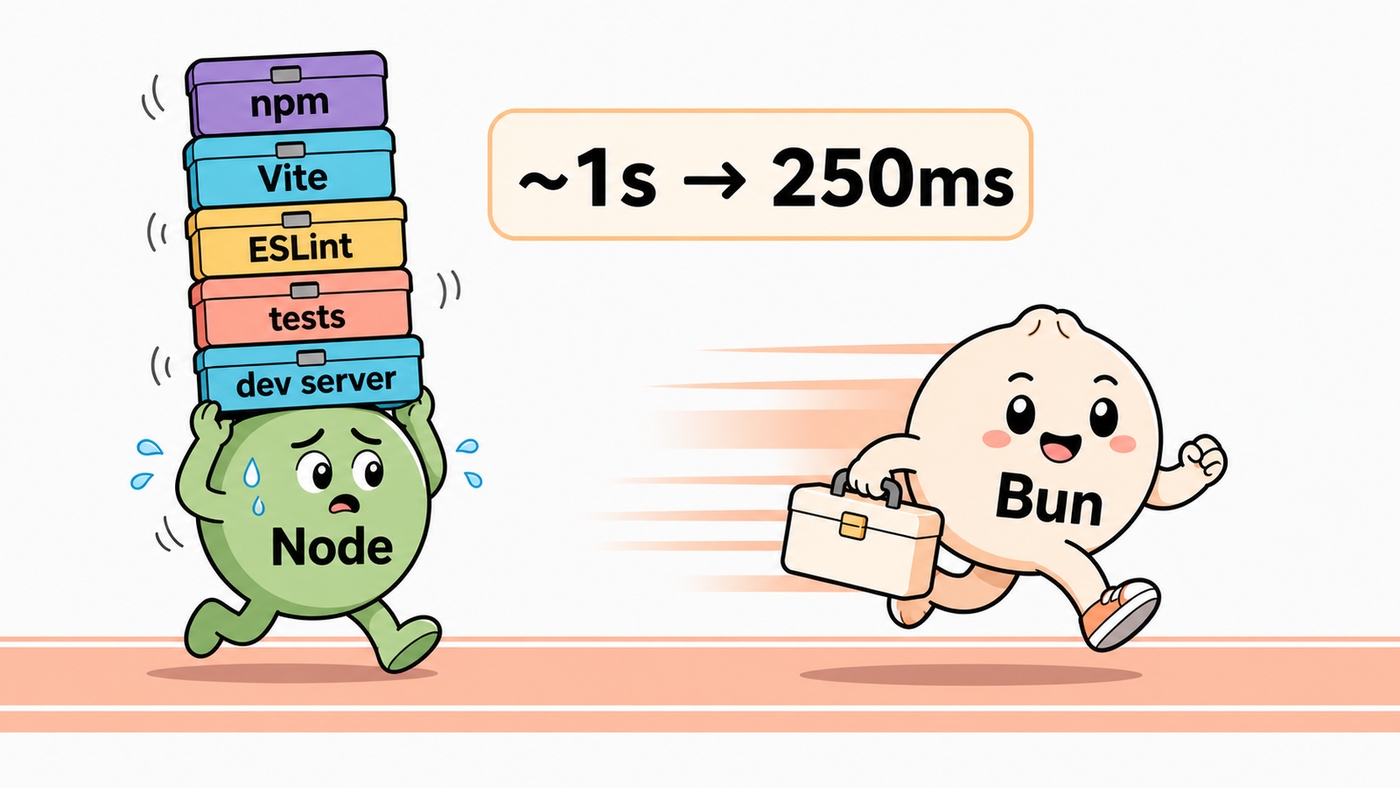
I expected Bun to make my TypeScript project faster. It did, eventually. But the useful surprise was that swapping Node.js for Bun barely moved the build at all.
The real speedup came later, when I stopped using Bun as a faster way to run the same Node-era toolchain and let it replace part of the toolchain. Same React project. Same TypeScript. Different build path.
That is the practical Bun vs Node.js question for me: not "is Bun faster in a benchmark?" but "which separate tools can Bun actually remove from a real project without making the project harder to trust?"
Bun vs Node.js: the point of this test
Bun is often described as a fast JavaScript runtime. That is true, but it is too narrow.
The official Bun docs present it as an all-in-one toolkit: runtime, package manager, bundler, test runner, and script runner in one place (Bun docs). That matters because a modern TypeScript project is not just node app.js. It is a small city of tools.
There is the runtime. The package manager. The bundler. The linter. The formatter. The test runner. The dev server. The lockfile. The CI command. The Docker layer. The editor plugin that quietly decides whether anyone on the team has a good morning.
So this article is not trying to crown Bun as a universal Node.js replacement. It is answering a smaller and more useful question:
If you take a real Node/Vite/React/TypeScript project and move it toward Bun in layers, where does the payoff actually appear?
That framing matters because the first migration layer can be disappointing if you expect fireworks.
The short answer
If you only replace Node.js with Bun while keeping the same Vite build path, the improvement may be modest.
If you let Bun replace more of the toolchain, the result can become much more interesting.
In my small React project:
- Vite on Node built in about
1000ms. - Bun running the Vite path got to about
820ms. - Bun building directly, without Vite, got to about
250ms.
That is the whole lesson in three numbers. The runtime swap helped a little. Removing a layer helped a lot.
The speed came from removing a layer, not just changing runtimes
A small React project, measured through three migration steps.
The baseline was already fine. A small React/Vite project built in about a second. That gave me a clean before/after number, not an emergency.
The runtime swap alone was not the win. Running the same Vite-driven path through Bun helped a little, but not enough to justify the migration by itself.
The big drop came when Vite left the path. Once Bun owned the build directly, the project moved from "slightly faster" to "this actually changes the loop."
What I started with
The project was small on purpose.
It was a React and TypeScript frontend bundled with Vite. It had the usual helper stack: npm scripts, Vite plugins, ESLint, Prettier, SVG handling, Tailwind, and a few other pieces that accumulate naturally in a frontend repo.
That is important. This was not a giant backend, a synthetic benchmark, or a hand-picked toy made to flatter Bun. It was the kind of project where build speed is already acceptable, but the toolchain feels heavier than the app.
The baseline build averaged about one second.
One second is not terrible. But if you are running generated code through format, lint, type checks, tests, preview builds, and CI over and over, one second becomes part of a larger loop. That is where Bun gets interesting.
Step 1: replacing Node.js with Bun was not enough
The first move was the obvious one: replace Node.js and npm with Bun, but keep the build path familiar.
That meant Vite still drove the build. The project was now using Bun around the same frontend machinery instead of Node.js and npm.
The result: the build got a little faster, but not dramatically.
That makes sense in hindsight. Vite was still doing Vite things. The plugin chain was still there. The app still had the same build architecture. Bun was faster around the edges, but it was not yet changing the shape of the work.
This is the first thing I would want a reader to take away. If your plan is "install Bun, keep every other tool exactly the same, and expect a huge win," you may be disappointed.
That is not an argument against Bun. It is an argument for measuring the right layer.
Step 2: Biome reduced some toolchain clutter
The second change was not strictly Bun. I replaced a chunk of linting and formatting setup with Biome.
That matters because the Bun conversation is really a toolchain conversation. The speed win is not only about a runtime executing JavaScript faster. It is about reducing the number of separate tools that have to coordinate with each other.
Biome let me remove ESLint, Prettier, and a few adjacent packages from this project. That lowered the amount of configuration and helped the build path a little.
But it still did not create the big drop.
At that point the project was cleaner, but it was still Vite-shaped.
Step 3: dropping Vite was the real turn
The real speedup came when I removed Vite and let Bun handle the build path directly.
Bun has a built-in bundler exposed through bun build and the Bun.build() API (Bun bundler docs). That is the part that changed the experiment from "same stack, different runtime" to "fewer moving parts."
There was a cost. Vite gives you a very polished frontend development experience. It has a mature plugin ecosystem, a dev server people know, and a lot of community muscle memory. Replacing it means you own more of the build script.
In this project, that was acceptable. The build and dev scripts were only a few lines each, and the app was small enough that the plugin surface was not scary.
That is not always true. If your frontend depends heavily on Vite plugins, framework conventions, unusual asset handling, or a dev server workflow your team already trusts, the tradeoff may go the other way.
But for this project, the result was clear: Bun without Vite built in about 250ms.
That is the point where the migration felt real.
The result table
| Build path | What changed | Average build time | What it proved |
|---|---|---|---|
| Vite on Node.js | Baseline setup | ~1000ms | The existing project was already acceptable. |
| Bun + Vite + Biome | Runtime/package-manager swap plus lint/format cleanup | ~820ms | The first layer helped, but did not change the system. |
| Bun without Vite | Bun owned the build directly | ~250ms | The big win came from removing a build layer. |
The honest reading is simple: Bun looked best when I let it replace tools, not when I asked it to cosplay as faster Node.js.
What this does not prove
This does not prove that Bun will make every project four times faster.
It does not prove that Bun should replace Node.js in a production backend.
It does not prove that Vite is bad.
It proves something narrower and more useful: if your JavaScript project is slowed down by layers of tooling, Bun can be valuable because it absorbs some of those layers.
That is consistent with Bun's own positioning. Bun is not just a runtime. Its docs put package management, bundling, testing, scripts, runtime APIs, and framework guides under the same roof (Bun docs).
The flip side is that every replacement expands the migration surface. Replacing npm is not the same as replacing Vite. Replacing Vite is not the same as replacing Node.js in production. Replacing Jest or Vitest is another decision again.
Bun is attractive because it removes choices. It is risky for the same reason: it may remove choices your project still relies on.
Where Bun fits best
Bun is safer when you choose the layer first
The mistake is treating "move to Bun" as one migration.
Start with scripts, installs, and local tooling. This is where Bun's speed and single-binary feel are useful without asking your production runtime to change on day one.
Try Bun on the build path when the app has a small plugin surface. In my project, dropping Vite created the big win. In a plugin-heavy app, Vite may still be the better trade.
Do not move a production backend because a frontend build got faster. Check Node API compatibility, native addons, observability, deployment images, and rollback before treating Bun as a backend runtime replacement.
Bun can be very useful in repeated automation loops. Codegen, AI-agent checks, formatting, tests, and short-lived scripts are places where shaving repeated startup and install time can compound.
For my taste, the best Bun adoption path starts outside the production request path.
Use Bun for package installs. Use it for scripts. Use it for small tooling tasks. Try the build path. See what breaks. See what gets simpler. Then decide whether the runtime itself deserves more responsibility.
Where I would keep Node.js
Node.js remains the safest default for established production backends, and it is still where our Node.js team spends most of its time.
That is not a boring answer. It is a useful one.
Node has the operational gravity: libraries, runtime assumptions, native addons, monitoring agents, deployment guides, old Stack Overflow answers, and teammates who already know the failure modes. Bun has a live Node.js compatibility page because compatibility is a real engineering surface, not a slogan (Bun Node.js compatibility).
If I were moving a backend, I would check at least these things before calling it done:
node:built-ins used by the app- native addons
worker_threads,vm, streams, sockets, and HTTP behavior- ORM and database driver assumptions
- test runner parity
- Docker image and deployment target
- metrics, tracing, logging, and crash behavior
- rollback to the Node image
That is not meant to scare anyone away from Bun. It is the difference between a local experiment and production engineering, and production engineering is exactly why teams hire Node.js developers instead of shipping the migration solo.
The package-manager part matters too
The first version of this article could have stopped at runtime and build speed. That would miss a lot.
Bun also replaces npm for many workflows. Its package manager works in package.json projects, writes bun.lock, supports workspaces, and does not run arbitrary dependency lifecycle scripts unless packages are trusted (bun install docs, Bun lockfile).
That turns Bun into a team-coordination choice, not just a speed choice.
Package managers decide how lockfiles behave, how dependency scripts run, how CI installs packages, how Docker layers cache dependencies, and how much trust you place in transitive packages. In the package-manager research pass, this became the clearest principle:
The fastest install is not useful if the install model does not fit your team.
For this first article, I only used the package-manager part enough to run the experiment. But if I were evaluating Bun for a team, I would test these separately:
- Does
bun installproduce understandable lockfile diffs? - Does
bun cibehave the way CI expects? - Do any dependencies require trusted lifecycle scripts?
- Does the project need hoisted installs, or can it tolerate stricter isolated installs?
- Do Windows developers get the same day as macOS developers?
Those questions are not glamorous. They decide whether a migration survives beyond the person who proposed it.
Why AI and codegen pipelines make Bun more interesting
One place I would seriously consider Bun early is automated code loops.
Think about AI-agent pipelines, codegen systems, scaffolding tools, template runners, test-fix-test loops, and anything that repeatedly installs, formats, checks, builds, and executes small pieces of code. An agent does not run your build once and admire it. It runs the whole loop hundreds of times a day, and it waits on every pass.
That is where the numbers stop being a vanity benchmark and turn into throughput. The build dropping from a second to 250ms is only the part I measured by hand. The bigger lever is everything wrapped around it. In published package-manager benchmarks, bun install pulls a fifty-package project in under a second where npm takes the better part of fifteen (benchmark), and a Bun process starts several times faster than a Node one, milliseconds against tens of milliseconds. An agent spawns short-lived processes and reinstalls dependencies constantly, so the exact tax it pays on every iteration is the tax Bun is built to cut.
If that sounds like a theory, the market just voted on it.
None of that makes AI-generated code good. Bun has no opinion on whether the code is correct, only on how fast you find out, and that is a separate and much harder problem. What Bun shortens is the gap between "the agent changed something" and "we know whether it works," and a shorter gap is most of what makes an agent useful instead of exhausting: faster install, faster start, one tool instead of six waking up on every run.
And short feedback loops are where developer tools start to feel different.
A conservative migration checklist
bun.lock and check whether diffs are reviewable.bun ci, cache behavior, Docker layer order, and rollback.The main rule is boring but strong: do not migrate the whole stack in one emotional afternoon.
Start with the layer that hurts. Measure it. Keep the rollback small.
Should you switch from Node.js to Bun?
For an existing production backend, my answer is: not automatically.
For scripts, installs, local tooling, CI helpers, and codegen loops, my answer is: Bun is absolutely worth trying.
For a small frontend build, my answer is: test both shapes. Bun as a faster runner around Vite may not change much. Bun as the build path can change a lot, but only if you can live without the Vite ecosystem for that project.
For a large team, my answer is: treat Bun as a series of replacement decisions, not one brand decision.
That is the actual conclusion from my experiment. Bun won only after I let it do the thing Bun is designed to do: absorb part of the JavaScript toolchain.
The runtime is interesting. The toolchain compression is the story.
FAQ
Is Bun faster than Node.js? It can be, but the practical answer depends on what you are measuring. In my project, the runtime swap alone was modest. The big improvement came from replacing the build path.
Can Bun replace Vite? Sometimes. Bun has a built-in bundler, and that was the big win in this experiment (Bun bundler docs). But Vite has a mature plugin ecosystem and dev-server experience. A plugin-heavy frontend should test carefully before dropping it.
Can Bun replace npm? Often, yes. Bun's package manager supports existing package.json workflows and creates bun.lock (bun install docs, Bun lockfile). The real question is whether your team likes its lockfile, lifecycle-script, CI, and workspace behavior.
Can Bun replace Jest or Vitest? Maybe, but test-runner migration deserves its own pass. Bun includes a Jest-compatible test runner, while its docs also note that not everything in Jest is implemented (Bun test runner).
Would I move a Node.js backend to Bun today? Only after a compatibility and deployment preflight. Bun has strong Node compatibility work, but production backends depend on many small runtime assumptions (Bun Node.js compatibility).
What would I publish next in this cluster? The natural follow-up is the package-manager layer: Bun vs npm, pnpm, and Yarn. Runtime speed is only one part of the adoption decision; lockfiles, install scripts, workspaces, CI, and Docker caching are where team-wide migrations succeed or get annoying.
P.S. So I am not just talking into the void, here is the repo with two branches, bun and node: github.com/BenderBRodrigez/bun-vs-node-demo.